V8NATURALLY ASPIRATED
A deep, pulsing idle
V8 · idle excerpt
FOR THE BIG KID IN YOU
Bring the engine sounds you love into your everyday car.
If your car stereo can play audio from your phone,
your car can take on a whole new sound.
Connect your phone. Enjoy the sound.iPhone App
YOUR CAR. YOUR SOUND.
You do not need to buy your dream car first.
Petrol, hybrid or a quiet electric car—
give the car you already drive the engine sound you love.
ONE SIMPLE CONNECTION
Use Bluetooth, AUX or another phone-audio connection supported by your car stereo to play the app through your speakers.
* Requires a compatible phone and a car stereo that can actually play the app audio. Connection options depend on your phone, stereo and adapters.
See how it works01 / LISTEN FIRST
Deep, full-bodied or quick and crisp.
Let your ears choose your engine.
Headphones bring out the detail.
V8 · idle excerpt
Turbo I6 · mid-range excerpt
I4 · mid-range excerpt
Tap play for an 8-second preview. Audio never starts automatically.
Excerpts from similar engine types; full sounds vary by mode in the app. Audio credits ↗02 / A COCKPIT WITH CHARACTER
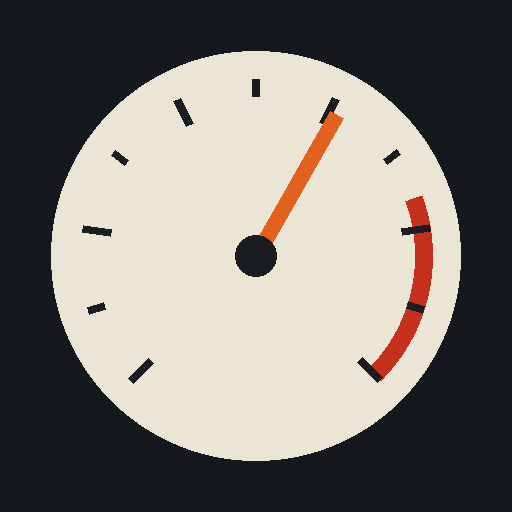
Digital arcs, classic twin dials, high-rev needles.
A dashboard to match each engine’s personality.
Speed and RPM take centre stage. Everything else stays subtle.
01 / LANDSCAPEA wider cockpit view
02 / PORTRAITClear in one hand
Clear at a glance. Fun to explore.
Turn your phone. The dashboard adapts.
Preview readings are simulated, not actual vehicle data.
03 / FIND YOUR FAVORITE
From lively inline-fours to high-revving V10s and V12s.
19 personalities, ready for you to explore.
Naturally aspirated. Built to rev.
Even better near the red line.
Small displacement. Big fun.
04 / MAKE IT YOURS
Three steps to a more entertaining cockpit.
Or enjoy it anywhere with your phone or headphones.
Choose an audio connection your stereo supports.
Check that phone audio plays through the car speakers.
Open the garage and pick your favourite sound.
Give your sound and dashboard a new personality.
Simulation mode: control the throttle and shift gears.
GPS mode: estimate RPM and gears from phone speed.
Rev Lab is a sound simulator for entertainment. GPS readings and gears are estimates. Set up while parked and do not operate your phone while driving.
A FEW THINGS TO KNOW
There is no brand or model restriction: petrol, hybrid and electric cars can all join in. A compatible phone must be able to play the app audio through your car stereo. Bluetooth, AUX or another supported audio connection may be used, depending on your phone, stereo and accessories.
The App Store link will be listed in the download section of this page. Check the store listing for compatible devices, pricing and version details.
No. Simulation mode lets you control the throttle and gears directly on your phone, even while stationary. GPS mode estimates RPM and gears from speed measured by your phone.
No. Rev Lab simulates readings using your phone’s location and sensors. It does not read actual RPM, gears or throttle from OBD or your vehicle’s computer. The display must not be used as a driving instrument.
Yes. Import engine recordings or start-up sounds in the app’s recording tab to create your own sound experience. Results depend on recording quality and content.
The app is designed to include some free engines, with additional content unlocked through in-app purchases. Final pricing, included content and device requirements are shown in the App Store and in the app.
 REV LAB
YOUR EVERYDAY CAR. A NEW SOUND.
Make room on your phone for what you love.
iPhone download informationAn App Store download link is not available here yet. Listen to the sounds and explore the dashboard styles in the meantime.
Try the web version ↗